 InkAIGet the app
A RECORDED DESIGN EXAMPLE
One request, then one refinement
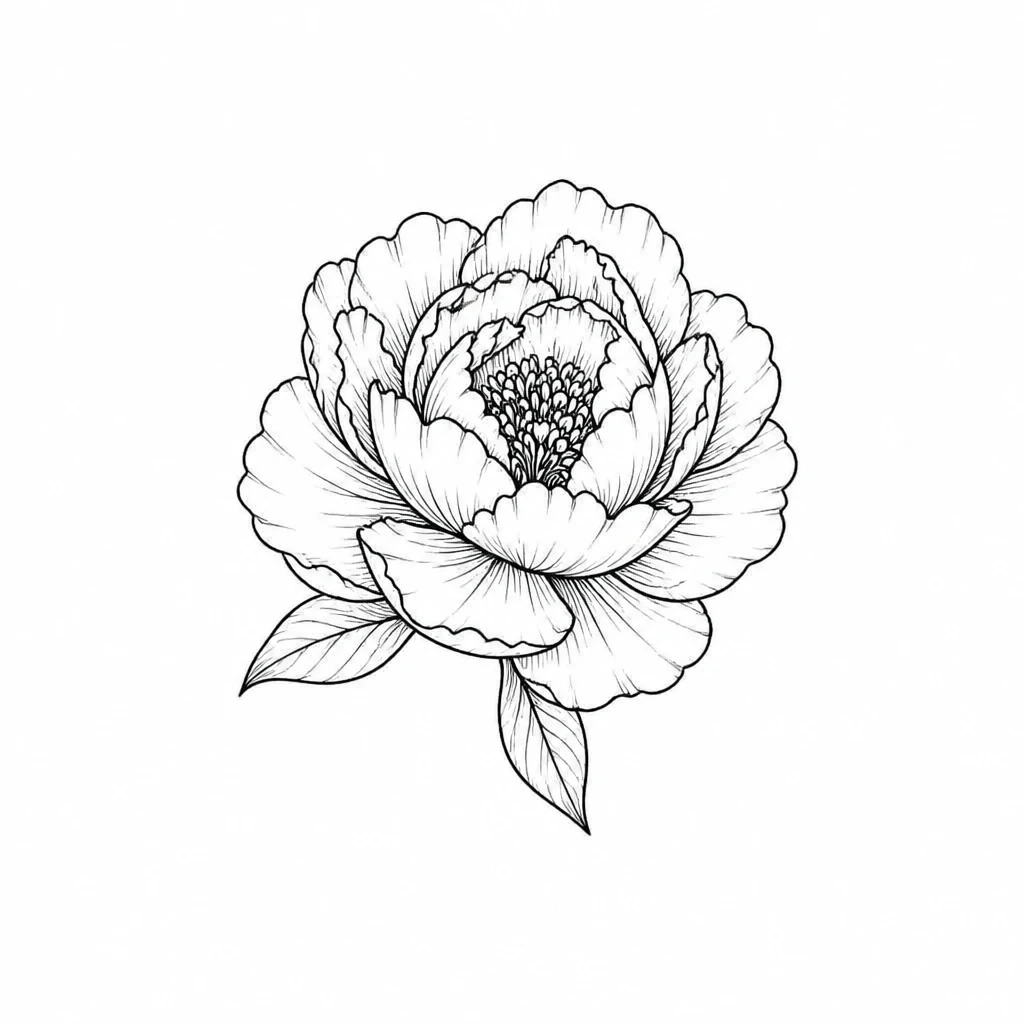
We selected the Floral style and sent the brief below through the same generation service used by InkAI on October 25, 2026. We then used the first output as the input to a refinement. These are the recorded outputs.
What we asked for
Floral tattoo concept with one open peony and a smaller rose, curved leaves, clear petal shapes, balanced open space, elegant black ink linework, no lettering, isolated on a light background.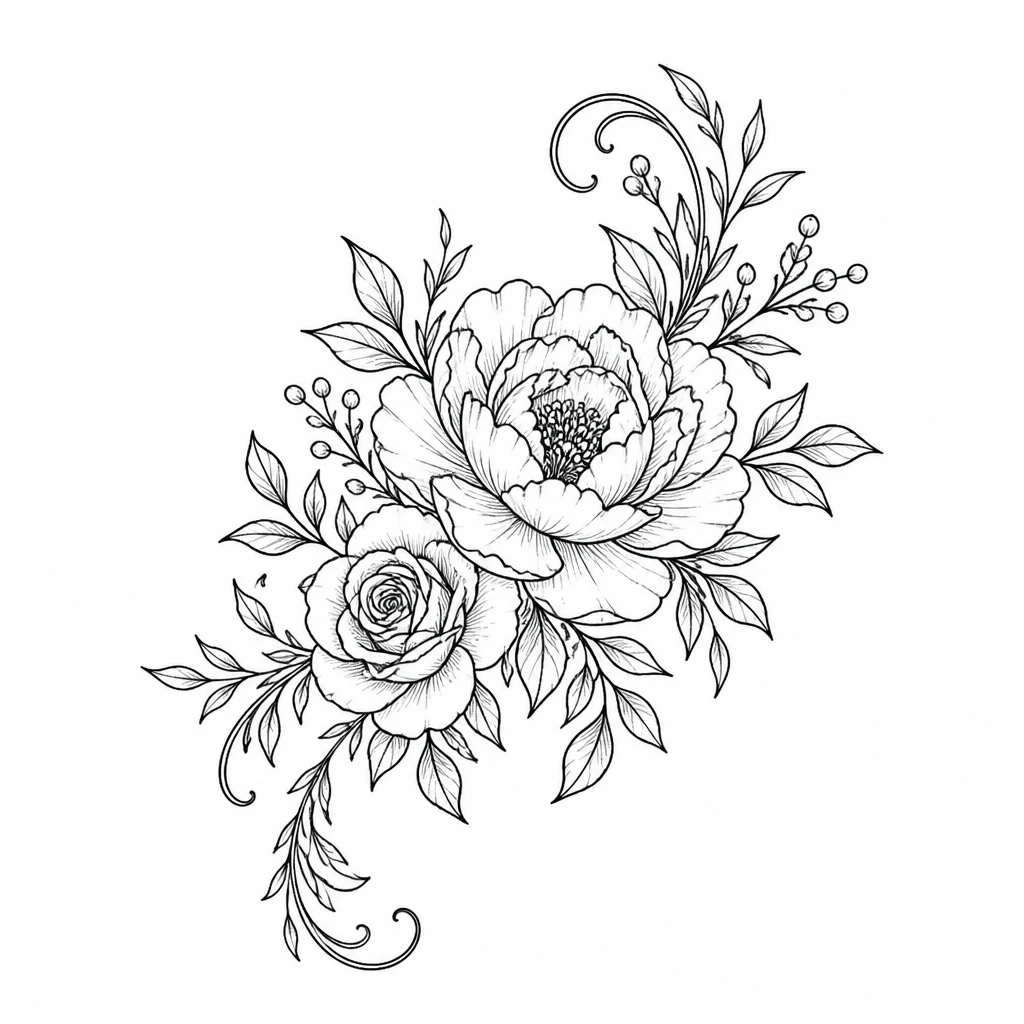
Our refinement instruction
Keep only the peony as the single main flower, remove the smaller rose, and retain just two supporting leaves.What changed
The first result contains a peony, a smaller rose, and many supporting stems. The refinement leaves a single main bloom and two leaves. This is a useful way to compare a bouquet with a simpler flower-head concept using the same initial idea.
Created by LMakt using InkAI’s deployed image service, style prompts, and image-input workflow. These images are service outputs, not app screenshots. Actual app results vary. The app’s selected style image is also an input, so the text prompt alone does not specify every visual detail.
Start with a flower and a silhouette
A flower name alone leaves a lot open to interpretation. A rose in bud, a fully open rose, and a cluster of roses are different design briefs. Describe the stage of the bloom and whether you want a long stem, a round flower head, or a flowing arrangement. If a particular plant matters to you, use a reference photo and review the generated petals and leaves rather than relying only on its label.
Four directions to explore
An open peony
Use a single bloom as the focus. Compare a clean outline with more layered petals to decide how much detail you want to take to your artist.
A rose with a curved stem
A stem creates direction through the composition. Ask for a gentle curve and a small number of leaves, then compare the rose open and in bud.
A personal bouquet
Choose two or three specific flowers instead of asking for a random bouquet. Explain which should be largest and which should be supporting details.
A botanical sprig
For a quieter design, use one stem with a few leaves or small flowers. Compare a straight arrangement with one that gently arcs.
Make the next version your own
Keep the parts you like and compare one change at a time. These are useful next requests to explore after the recorded example.
- Make the peony the only flower and keep two leaves.
- Compare a vertical arrangement with a wider bouquet.
- Ask for outline-only petals instead of dense shading.
Decide what is personal and what is decorative
If a flower represents a person, memory, or occasion, write that down in your brief. You can then choose supporting details that help tell your story without crowding the design. Do not let a generic online list decide a flower’s meaning for you. When you meet an artist, discuss the intended size and ask which petals, stems, and spaces need to be adapted. Use a try-on preview to compare composition on a photo, while remembering that the image is an approximation.